Welcome to GoTrackIt’s documentation!
Note
The English document has not yet been fully translated…
Read UserManual in :Chinese
Author: Tang Kai
Email:tangkai@zhechengdata.com、794568794@qq.com
Project source code:GitHub — Current version v0.3.10
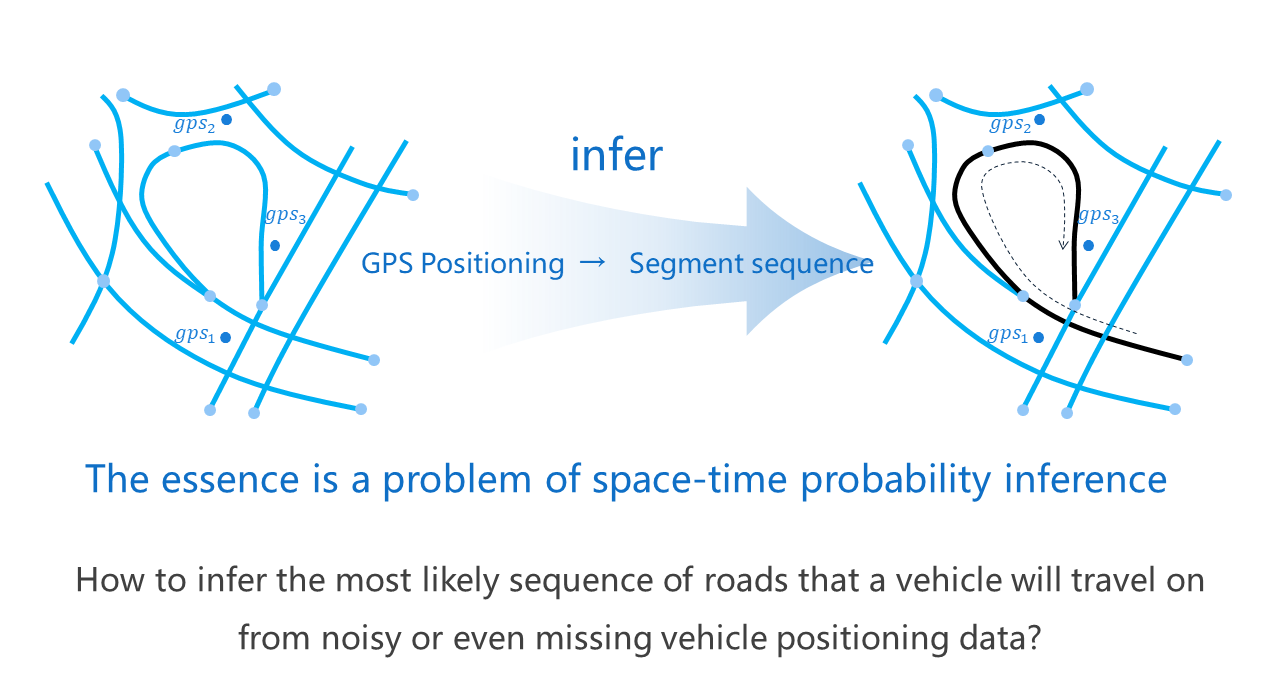
GoTrackIt is a Map-Matching python package based on the Hidden Markov Model.
It matches the vehicle’s GPS trajectory data to the road network through probabilistic graph modeling, and obtains the standardized spatiotemporal trajectory of the vehicle.It can effectively support travel navigation, traffic monitoring, traffic management, carbon emission accounting, traffic modeling and other directions.
The application areas of Map-Matching are as follows:
- Travel navigation
General Navigation、Lane Level Navigation、Traffic behavior warning
- Traffic monitoring
Real-time traffic calculation、Intersection delay calculation、Real-time public transportation、Traffic monitoring
- Traffic management
Traffic tracing analysis、Travel behavior analysis、Traffic congestion analysis
- Carbon emission accounting
Emissions accounting、Road network emission characteristics
- Traffic modeling and other directions
Road network integration、Bus/road network matching
Note
This project is in a period of frequent upgrades and iterations. The current version is v0.3.10. Please update in time.
Note
Due to the differences in computers of different users, it is difficult to unify the CRS output format in Geopandas. Starting from v0.3.5, the CRS check for geographic vector files has been completely removed. Users need to ensure that the CRS of the input geometry vector layer is EPSG:4326.
Document Content
- 💡Introduction
- 🚀 How to use
- 1. Install gotrackit
- 2. Features Overview of gotrackit
- 3. Road network module
- 4. GPS data production
- 5. Trajectory data preprocessing
- 6. Offline map matching
- 6.1. Required data
- 6.2. Matching interface parameter explanation - parameters for building Net
- 6.3. Matching interface parameter explanation - MapMatch parameter explanation
- 6.3.2. Basic parameters (must be specified)
- 6.3.3. Time column construction parameters
- 6.3.4. Candidate range parameters
- 6.3.5. Emission probability and state transition probability parameters
- 6.3.6. GPS preprocessing parameters - Dwell point processing
- 6.3.7. GPS preprocessing parameters - point frequency reduction
- 6.3.8. GPS preprocessing parameters - sliding window average
- 6.3.9. GPS preprocessing parameters - point density
- 6.3.10. Emission Probability Correction - Heading Angle Correction
- 6.3.11. Result output setting parameters
- 6.3.12. Visualization output parameters
- 6.3.13. Grid parameter search settings
- 6.3.14. execute - Execute matching parameters
- 6.4. Conventional matching code example
- 6.5. Accelerate matching - enable pre-calculation
- 6.6. Accelerated Matching - Enable Multi-core for Parallel Matching
- 6.7. Accelerated matching - simplified road network line-geo
- 6.8. Accelerate matching - use hierarchical index to accelerate spatial association efficiency
- 6.9. Use grid parameters to determine reasonable matching parameters
- 6.10. Visualization of matching results
- 6.11. Parameter adjustment method for incorrect matching results
- 7. Real-time map matching
- ⚡️ QuickStart
- 🔎ClassMethod
- 🖥️Iteration record